bjoy888 App Download for Android Phones
The bjoy888 app puts cricket markets, slots and live tables on the phone you already carry. The file is 45 MB, runs on Android 7.0 and above, and installs in under a minute on a normal 4G connection in Dhaka.
- File size
- 45 MB
- Version
- 2.8.18
- Android
- 7.0+
- Price
- Free
18+ · Play Responsibly · 24/7 Live Chat support inside the app
What the bjoy888 app gives you on a phone
Most players here open the site on a phone anyway. The app removes the queue: no typing the address, no browser bar eating screen space, no signing in again every time you switch to a message.
Markets that open in one tap
Your last cricket market stays on the home screen. Open the app, tap the match, pick a line. A couple of taps from pocket to bet slip.
The cashier stays inside the app
bKash, Nagad, Rocket and Upay deposits open in the same window, so you never leave to a browser to add funds five minutes before the toss.
Alerts for the overs you follow
Turn on notifications and the app tells you when a wicket falls or a line moves on your open bet. Mute everything else from the settings screen.
On a computer? Scan the code to open the same APK link on your phone.
bjoy888 App file details before you download
Match the file against your phone before you start. If the handset runs Android 6 or older, stay on the browser version, because the install will stop at the package check and nothing you tap will fix that.
| Version | 2.8.18 |
|---|---|
| File name | bjoy888.apk |
| File size | 45 MB |
| Android minimum | 7.0 |
| Last updated | 13 November 2026 |
| Price | Free |
| Languages | English, Bangla |
| Download link | /download/bjoy888.apk |
Keep the browser tab open until the file lands in your Downloads folder. Chrome shows a progress bar and then a notification when the package is complete.
What the app asks permission for, and why
The APK requests four things. It does not read your contacts, your SMS inbox or your photo gallery, and it does not need any of those to run the cashier or the games.
Storage
Roughly 45 MB for the install, plus a small cache for game artwork. If the phone gets tight, clear the cache from Settings before you uninstall anything else.
Notifications
Match alerts, deposit confirmations and withdrawal updates. Each type can be switched off separately, so you can keep cashier messages and silence the cricket noise.
Network access
Used to reach the game servers and the cashier. It runs on 3G, 4G and home Wi-Fi, and drops to a text-only score feed when the signal is weak.
Camera, optional
Only opens when you scan a payment QR code in the cashier. Deny it and you can still deposit by typing the bKash or Nagad number by hand.
Games you can open inside the app
About 2,700 titles sit behind the login, supplied by Habanero, FA Chai, Red Tiger, Playtech, KA Gaming and Evolution. The app remembers the last lobby you used, so slots players land on slots and cricket players land on the match list.


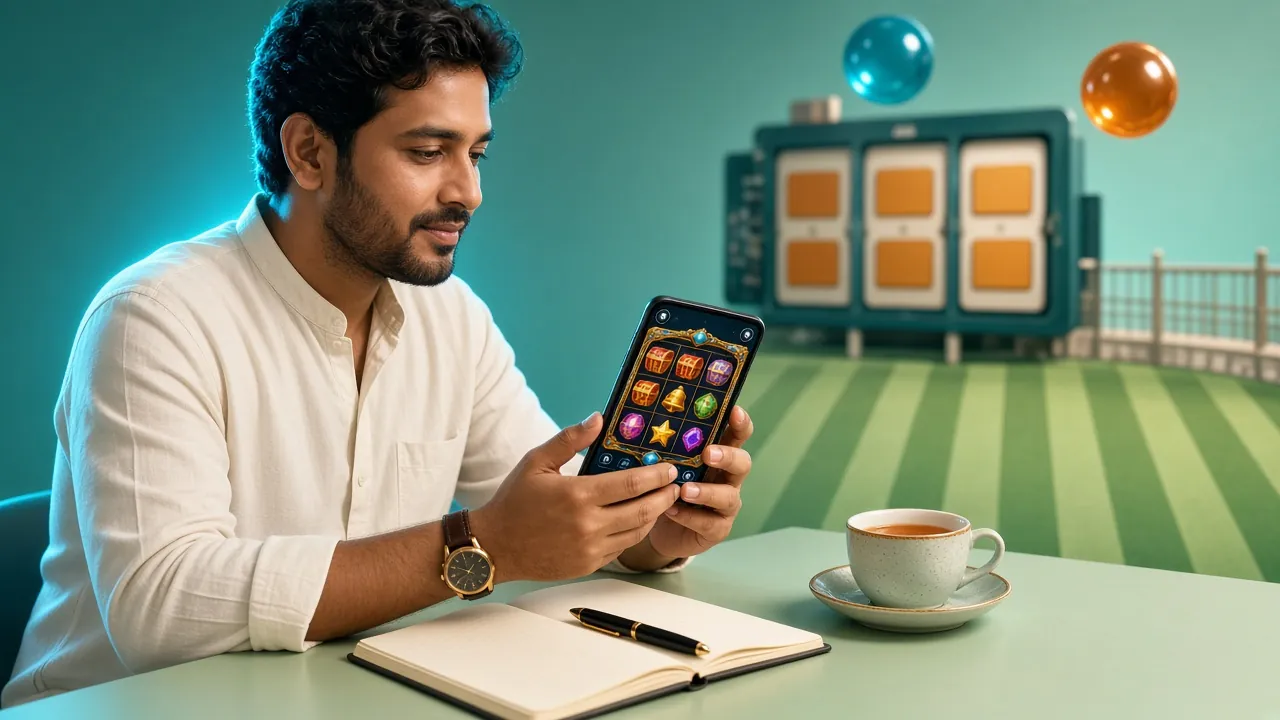
Slots
Reels from Habanero, Playtech and Red Tiger, with free-spin rounds and small minimum bets.
Live casino
Roulette, blackjack and game-show tables streamed from Evolution studios.
Cricket
Pre-match and in-play markets on BPL, internationals and T20 series.
Football
League and cup matches with Asian handicap and over/under lines.
Crash and instant
Short rounds that settle in seconds, built for a phone screen.
Lottery and fishing
Bingo draws and arcade fishing rooms that run on the same balance.
Want the full list first? Open the bjoy888 casino lobby in your browser, then install once you know which rooms you like.
Inside the bjoy888 App: what sits on the home screen
One-tap login
Fingerprint or a short PIN gets you back in after the screen locks. Handy on a shared phone in a busy house, and faster than typing a password at the ground.
Cashier without the browser
Deposit with bKash, Nagad, Rocket or Upay and stay in the app. Money normally lands in about a minute, and the reference number stays on the screen.
Low-data mode
Watching a long chase on mobile data? Switch on the low-data setting to cut lobby images and keep the score feed and bet slip moving.
Match alerts
Pick the teams you follow and the app pushes a note at the toss, when a wicket falls, or when the line moves on an open bet.
A bet slip that survives a restart
If the phone dies or the network drops, the app keeps an open slip. Reopen it later and your selections are still ticked and ready to confirm.
Withdrawals from the app
Cash out to bKash or Nagad without switching to a desktop. Most requests finish in about 28 minutes, and the first one takes longer while your documents are checked.
App or browser: which one fits the way you play?
Both work with the same account and the same balance. The difference is how much of your evening goes into waiting.
| What you need | bjoy888 app | Phone browser |
|---|---|---|
| Getting started | One 45 MB install, then an icon on the home screen | No install, but you type or bookmark the address |
| Load time on 4G | Lobby opens from saved files, quicker on repeat visits | Starts fresh each time, slower on a weak signal |
| Notifications | Wicket, toss and cashier alerts | None, unless the tab stays open |
| Cashier | bKash and Nagad inside the same window | Same options, a couple of extra taps |
| Data use | Higher once for the install, lower afterwards | Steady, no install cost |
| Storage on the phone | About 45 MB plus a small cache | Almost nothing |
| Updates | You install the new APK from this page | Always the current version |
| Best for | Daily bettors and cricket nights | Occasional players and shared phones |
Nothing is lost by staying on the browser. Pick the app if you log in most days, and keep the browser for quick checks on someone else's phone.
Installing the APK on Android, step by step
Allow about five minutes on 4G. Keep the phone charged so the install does not stop halfway through the package.
-
1
Allow unknown apps
Open Settings, then Apps, then Special access, then Install unknown apps. Pick Chrome or whichever browser you use and switch the toggle on.
-
2
Download the file
Tap Download APK on this page. Chrome shows a progress bar and then a notification. The package is 45 MB, so a few seconds on 4G.
-
3
Open bjoy888.apk
Tap the finished download. If the notification is gone, open Files, then Downloads, and tap the package there. The installer lists the permissions.
-
4
Confirm the install
Press Install and wait for the bar to finish. Play Protect may offer a scan. Let it run, then press Open when the app icon appears on your screen.
-
5
Sign in and set the cashier
Log in with your existing details, or register first. Save your bKash or Nagad number and turn on notifications before the next match.
On iPhone? Add the page to your home screen
There is no iOS file to install. Safari can keep the mobile site on your home screen, and it behaves much like an app.
- Open the site in Safari.
- Tap the share button in the toolbar.
- Scroll down and choose Add to Home Screen.
- Name it bjoy888 and tap Add.
The icon opens full screen, keeps you signed in and uses the same cashier as the Android build.
After the first install
Log in once on the new install so the app can save your fingerprint. If the login screen asks for a document check, open the login guide for the steps, or top up through the deposit guide once your balance is empty.
When the install will not go through
Most failures come from a half-finished download or a toggle in the wrong place. Work down this table before you try the file a third time.
| What you see | Why it happens | What to do |
|---|---|---|
| Install blocked | Unknown apps is still off for the browser you used | Go back to Settings, Apps, Special access, Install unknown apps and enable the toggle for that exact browser, not for a different one. |
| Parse error, or the file will not open | The download stopped early, so the package is incomplete | Delete bjoy888.apk from Downloads, clear the browser cache, then download again on Wi-Fi. Check the size reads 45 MB before you tap it. |
| App not installed | An older copy is signed differently, or storage is full | Uninstall the old version first, free a little space, then run the installer again. Your account and balance stay on our side. |
| Installs but will not open | Android below 7.0, or a battery saver is closing it | Check Settings, About phone for the Android version. If it is 6 or older, use the browser. Otherwise allow the app to run in the background. |
| Login fails after install | Wrong password, or no account was ever created | Reset the password from the login screen, or register first. Live chat runs 24/7 if the account is locked and the reset does not arrive. |
Grab the bjoy888 APK here, then open it once
The button on this page points straight at the package file. No wrapper installer, no sign-up before the download starts, and nothing charged for the file itself.
-
One tap and the file is moving 45 MB settles into your Downloads folder in roughly a minute on a 4G line, so you can start it while you are still queueing for tea.
-
Reading this on a laptop? Scan the code beside the button with your phone camera and the same package opens there. Nothing to type, no address to copy by hand.
-
Allow the install source once Android will ask before it trusts a file from outside the Play Store. Tick the browser you used, tap install, and the prompt stays gone for later updates.
Questions about the install that come up most
Is the bjoy888 APK safe to install?
It is our own build, signed by us and served from this domain. Keep to the button on this page and skip APK copies from file-sharing sites or forwarded WhatsApp links, because those can be altered. Play Protect scans the package during install, and the app never asks for your SMS inbox.
Why does Android show a warning about this file?
The warning appears for anything that did not come from the Play Store, not because of what the file does. Allow installs from your browser once and the message stops appearing. If you never see the prompt at all, the toggle is already switched on.
Can I use bjoy888 on an iPhone?
There is no iOS app file, so iPhone players use Safari. Open the site, tap Share and choose Add to Home Screen. The icon opens full screen, keeps you signed in and gives you the same cashier, markets and games with no install step at all.
How do I update the app?
Download the newest APK from this page and install it straight over the old copy. Your login, balance and saved payment numbers stay. Only clear the old install if the update refuses to run, then sign in again with the same details.
Will the app eat my mobile data during a match?
The install takes 45 MB once. After that the lobby is cached, so a normal session uses far less than the first run. For long T20 nights on mobile data, switch on low-data mode in settings and stay on the score and bet slip screens.
Can I deposit and withdraw inside the app?
Yes. bKash, Nagad, Rocket and Upay all work in the in-app cashier. Deposits usually land in about a minute. Withdrawals mostly finish in around 28 minutes, and the first one takes longer while your documents are checked before payout.
What happens if I install over an older version?
Your account data sits on our servers, not on the phone, so nothing is lost. The new build replaces the old one and keeps your saved login and payment numbers. If the installer refuses, uninstall the old copy first, then run the new package again.
Start with an account, then tap install
Registration takes a few minutes and needs only your phone number. Once the bjoy888 app is on your phone, your balance, open bets and cashier sit in one place, and the next match is one tap from the home screen.
Already installed? The bKash and Nagad deposit guide covers the first top-up step by step.